-
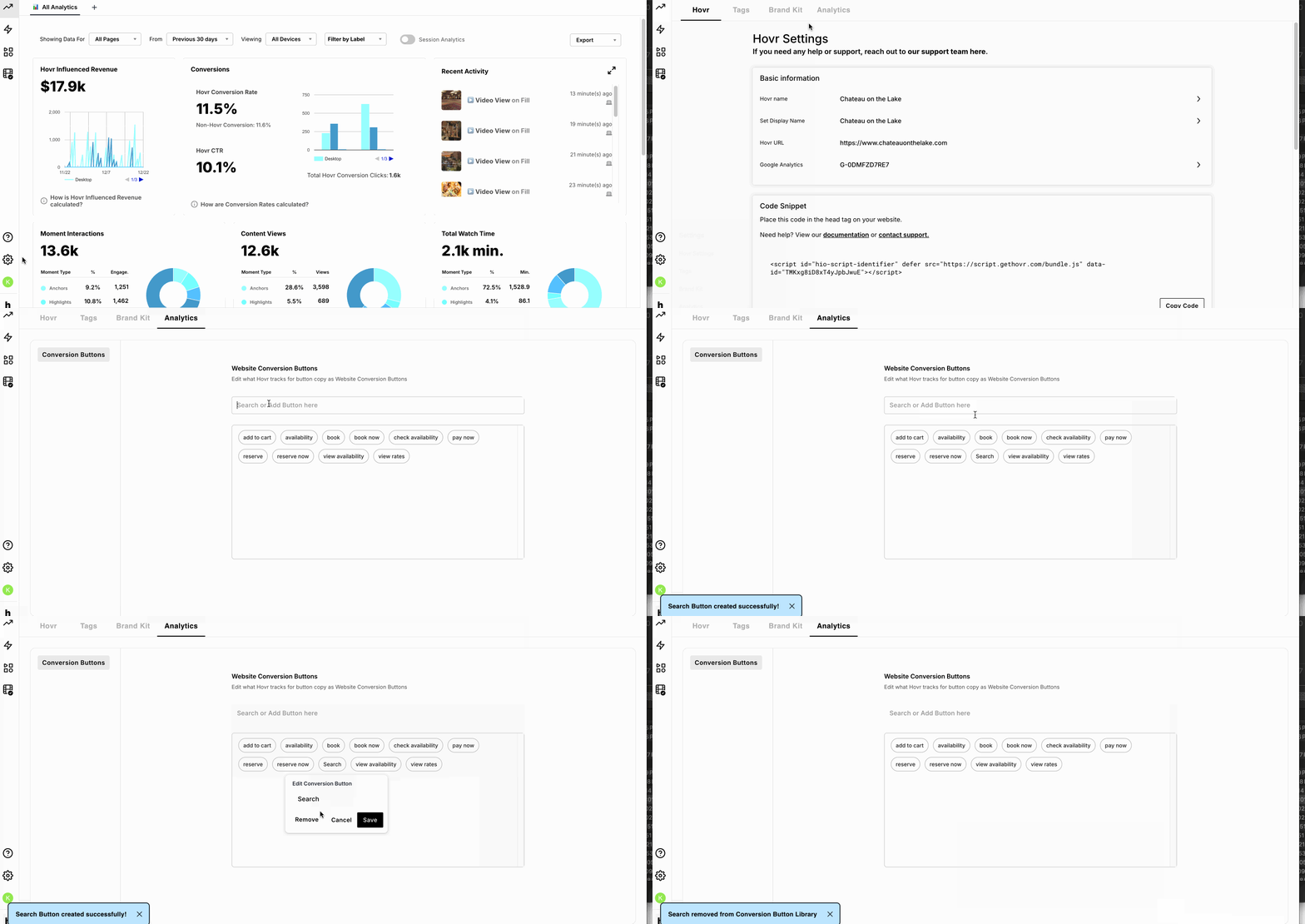
You can add, edit, or remove tracked conversion button copy directly in the Hovr Admin
-
Click the “Settings” icon in the bottom-left corner
-
Select the “Analytics” tab
-
Here, you’ll see a list of all currently tracked “Website Conversion Buttons”
-
Select any item to edit or remove it
-
You can add new button copy by typing into the text field and pressing “Enter”
-
New conversions will begin tracking immediately
Excellent! You now know how to add and edit website conversion buttons in Hovr!
English
![Icon-Wordmark-50px-Sorbet-3.png]](https://help.gethovr.com/hs-fs/hubfs/Icon-Wordmark-50px-Sorbet-3.png?height=40&name=Icon-Wordmark-50px-Sorbet-3.png)