![Icon-Wordmark-50px-Sorbet-3.png]](https://help.gethovr.com/hs-fs/hubfs/Icon-Wordmark-50px-Sorbet-3.png?height=40&name=Icon-Wordmark-50px-Sorbet-3.png)
-
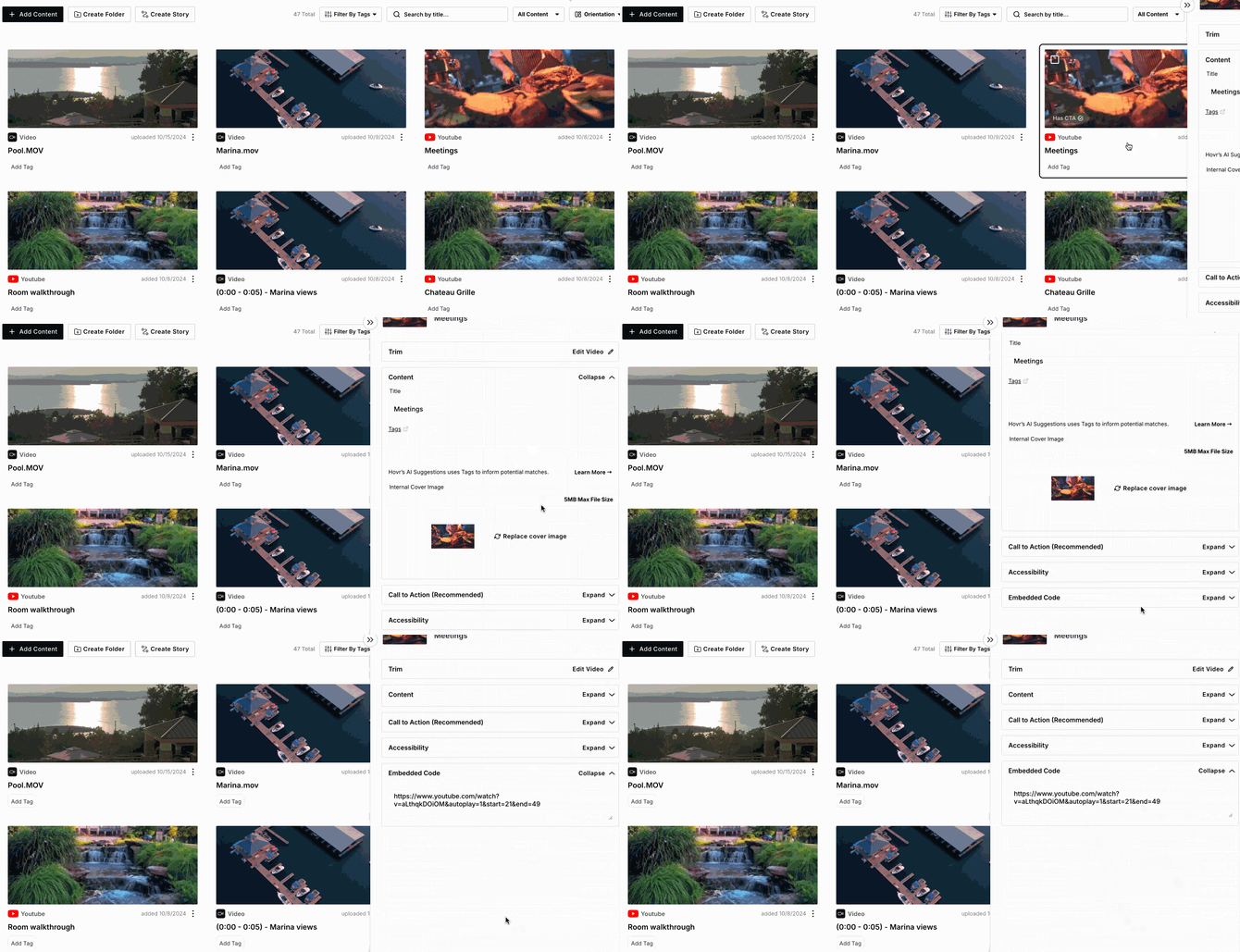
You can find the YouTube embed code by navigating to the Content Library and clicking on the video thumbnail.
-
In the right-hand details panel, scroll to the bottom and select “Embed Code”.
-
The section will expand to display the full embed code, which you can then copy and use.
Great job! You can now find the YouTube embed link for your videos!