-
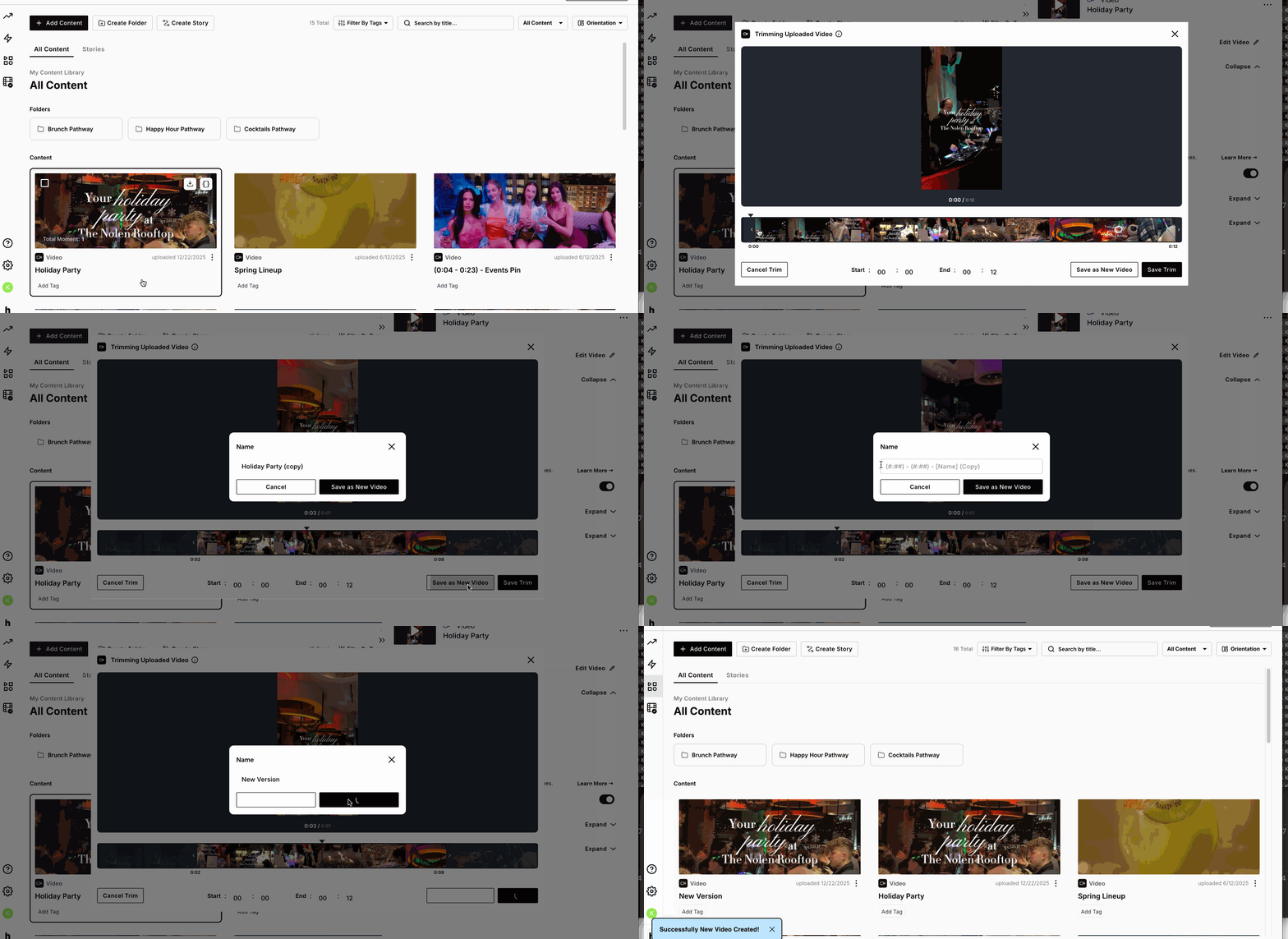
“Click” on the thumbnail of the video you want to edit
-
In the right-hand panel, select the “Trim” button
-
Adjust the trim handles to your desired start and end points, then click “Save as New Video”
-
Rename the new video if needed and click “Save as New Video” again to confirm
-
A duplicate of the original video will be created with your trimming adjustments applied
Super awesome! You just saved a copy of an existing video in the content library!
English
![Icon-Wordmark-50px-Sorbet-3.png]](https://help.gethovr.com/hs-fs/hubfs/Icon-Wordmark-50px-Sorbet-3.png?height=40&name=Icon-Wordmark-50px-Sorbet-3.png)