![Icon-Wordmark-50px-Sorbet-3.png]](https://help.gethovr.com/hs-fs/hubfs/Icon-Wordmark-50px-Sorbet-3.png?height=40&name=Icon-Wordmark-50px-Sorbet-3.png)
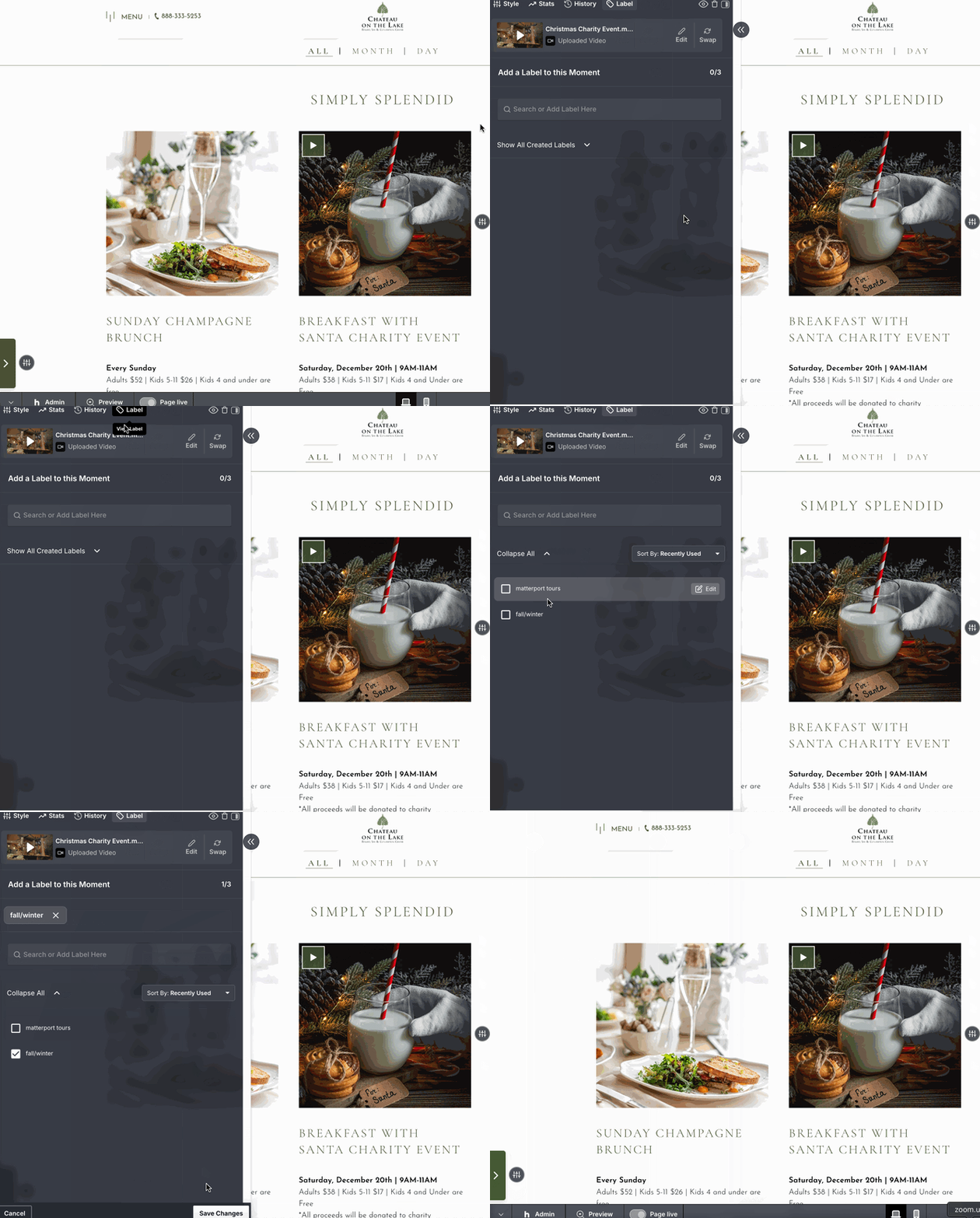
- Click on the gray “Customize” button of the Moment you would like to add a label to
- Click on “Labels” tab within the top of the panel
- You can search for your label within the text field or of hit the drop down to show the list of current labels created. (Please note, you can add up to 3 labels per Moment.)
- Click on the label(s) you would like to apply
- Click on “Save Changes”