![Icon-Wordmark-50px-Sorbet-3.png]](https://help.gethovr.com/hs-fs/hubfs/Icon-Wordmark-50px-Sorbet-3.png?height=40&name=Icon-Wordmark-50px-Sorbet-3.png)
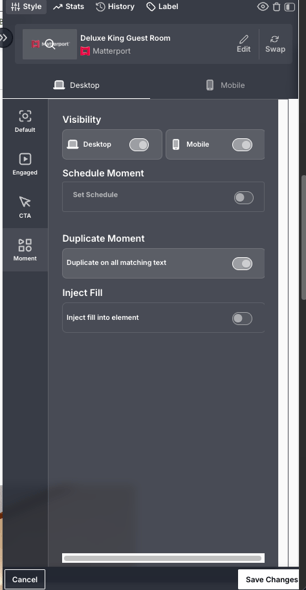
If you have Fill(s) within a carousel and they are not properly attaching to the intended images, you can use the Duplicate Feature to ensure each Fill follows the correct image.
- From the On-site Editor: Click Customize on your Fill. Under the Moment section, toggle on “Duplicate on all matching text” and click Save.