![Icon-Wordmark-50px-Sorbet-3.png]](https://help.gethovr.com/hs-fs/hubfs/Icon-Wordmark-50px-Sorbet-3.png?height=40&name=Icon-Wordmark-50px-Sorbet-3.png)
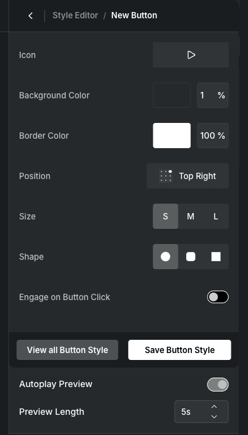
You can add an autoplay preview to a Fill either during the initial creation process or by editing an existing Fill later.
- During the initial setup: While creating your Launch Button Style, you'll have the option to enable an Autoplay Preview and select a preview duration from 1–5 seconds.
- For an existing Fill: In the On-site Editor, click Customize on your Fill. Under the Default section, you can create a new Launch Button Style or edit an existing one. While editing the button style, you'll have the option to enable an Autoplay Preview and choose a duration from 1–5 seconds.