![Icon-Wordmark-50px-Sorbet-3.png]](https://help.gethovr.com/hs-fs/hubfs/Icon-Wordmark-50px-Sorbet-3.png?height=40&name=Icon-Wordmark-50px-Sorbet-3.png)
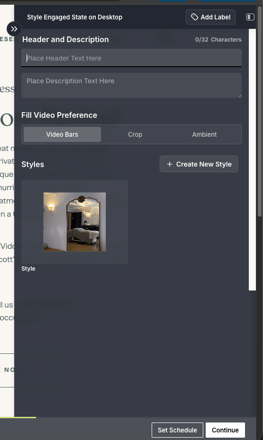
You can add custom header and description to a Fill either during the initial creation process or by editing an existing Fill later.
- During the initial setup: After selecting a Saved Launch Button Style, you'll have the option to enter a Header and Description. This text will appear as an overlay on the video when the Fill is engaged.
- For an existing Fill: In the On-site Editor, click Customize on your Fill. Under the Engaged section, you'll find the Header and Description fields, where you can add or update the text overlay that appears on the video.